01
A snippet popup, one shortcut away
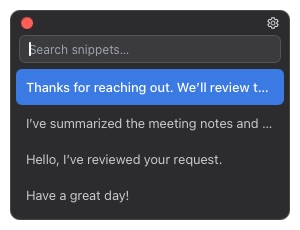
Open Kybit from a supported app, search your saved snippets, and press Enter to insert the right one.
A lightweight text utility for macOS and Windows
Pick one from the popup, or insert it automatically with a short trigger.
Popup when you need it. AutoText when you know it.
Open Kybit from a supported app, search your saved snippets, and press Enter to insert the right one.
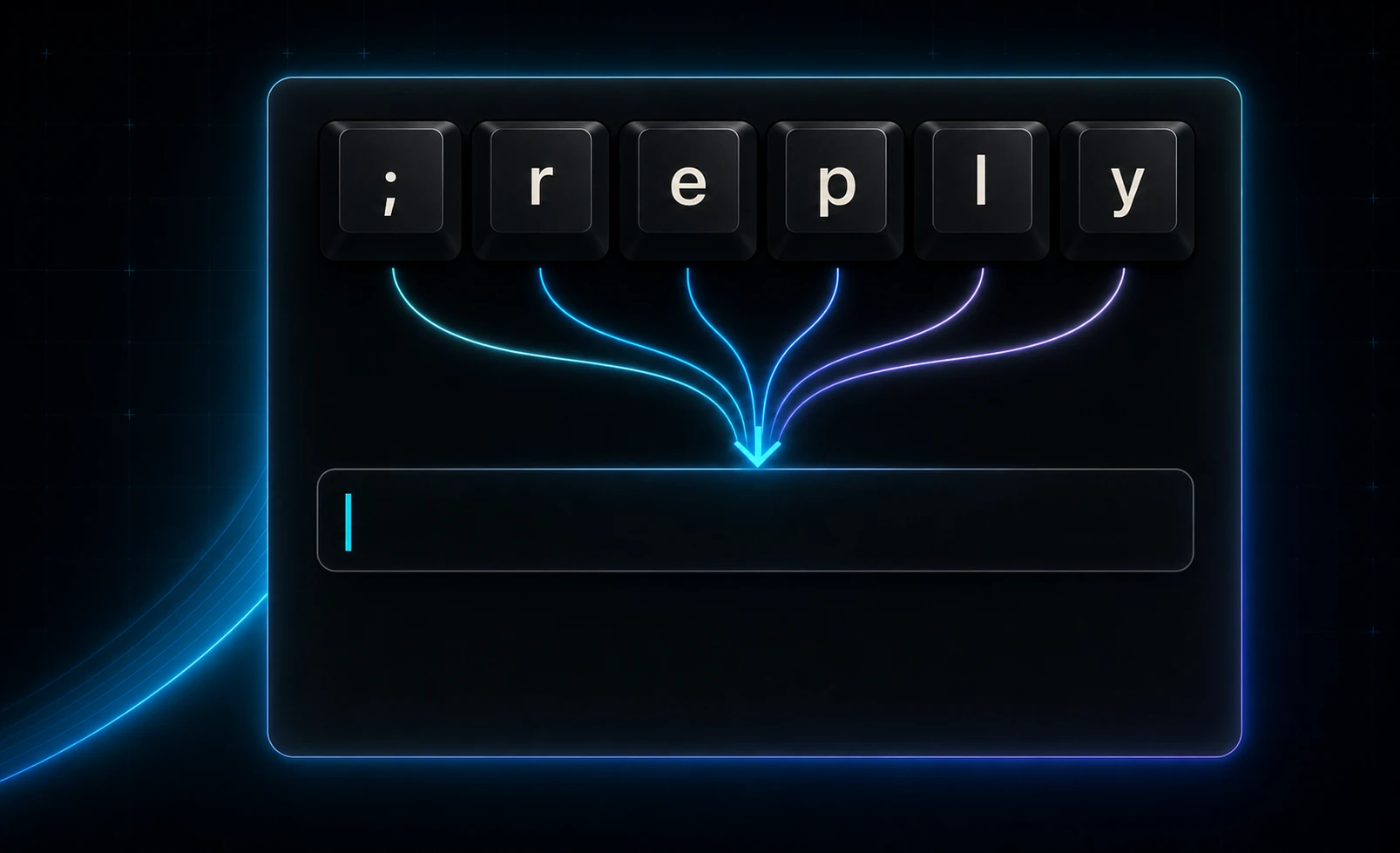
Kybit matches the standard physical keys represented by your ASCII trigger, independent of the active supported input method.
Save multi-line replies, Korean or Japanese text, emoji, links, and recurring templates as one snippet.
Bring the same snippet library to both platforms with folder sync, import, export, and merge.
Two ways. One library.
Use the popup when you want to browse or search. For phrases already in muscle memory, type the AutoText trigger directly where you are writing.
Free vs Pro
Unlimited snippets, search, editing, launcher insertion, import/export, and folder sync.
Start with FreeSystem-wide AutoText, physical-key trigger matching, and per-application exclusions.
Start 14-day trialThe trial begins only after AutoText turns on successfully. Free features remain available after it ends.
Save one recurring phrase today and make the next one effortless.